Members Area


Top Software Keywords
print download
printer download
pdf download
print tracking download
print manager download
printing security download
print quota download
printing download
print management download
software download
windows download
vista download
printer monitor download
printing management download
printer management download
virtual printer download
print logging download
network printing download
free download
print accounting download
network download
document download
pdf printer download
printing control download
printer driver download
audit print download
cost recovery download
quota manager download
total cost of ownership download
plot logging download


@SwIt Printfil 5.6     Save this software to your software Watch List

(4 ratings)

Author

aSwIt Srl: ODBC, Print for DOS, Windows

Website aSwIt Srl: ODBC, Print for DOS, Windows - @SwIt Printfil homepage
Licence Shareware
Price $69.00
OS Win95, Win98, WinME, WinNT 4.x, WinXP, Windows2000, Windows2003, Windows Vista Starter, Windows Vista Home Basic, Windows Vista Home Prem
Date Released June 12, 2008
Downloads 934
Filesize 1.36 MB
Language English, Arabic, Catalan, Czech, Danish, Dutch, Finnish, French, German, Greek, Hebrew, Hungarian, Icelandic, Italian, Macedonian, Norwegian, Polish, Portuguese, Romanian, Russian, Serbian, Slovenian, Spanish, Swedish, Turkish, Urdu, Brazilian
Install Support Install and Uninstall
Requirements P133, 32Mb RAM, 4 Mb HD
Keywords Dos, Unix, Linux, program, print, Windows, printers, USB, GDI, PDF, Fax, e-mail, all-in-one, MFC, capture, prn2file, dosprn, dos2usb, preview, network, logo, bmp, wmf, emf, encryption, password, barcodes, codepage, Ansi, OEM
Your Rating
  - click to rate
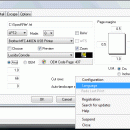
@SwIt Printfil screenshot
[ View full size screenshot ]
Best Software Downloads Award:
5 stars

Download @SwIt Printfil   Buy Full Version   Add to Watch List

Printfil allows printing from DOS, Unix, Linux, host programs to any Windows printer, including USB, GDI, network printers, fax printers and PDF writers, without changes to the original applications. You can set your application to print to an ascii file, or you can let Printfil capturing one or more parallel ports (PRN: and from LPT1: to LPT9:), automatically redirecting your print jobs to any printer, even to a printer which is physically connected to the captured port or if no LPT ports are physically installed on your PC. it allows also: - preview printing - include logos or other images stored in separate files - colorize the text - print A4 landscape sheets in place of printing on dot-matrix 136-column printers - print to ANY printer installed on the Windows Control Panel, including USB, GDI, Windows-only and Virtual printers - send print jobs via fax (using any third-party fax software which acts like a printer - eg. Microsoft Fax - or a multifunction - all-in-one - printer) - use specialist windows fonts (barcodes, for instance) as well as normal characters - export print jobs in PDF format, with or without user intervention, even with encryption and password protection - send print jobs via e-mail by using your own e-mail client program, with or without user intervention - use a single, customizable set of escape sequences for ALL printers, regardless of make, model and emulation provided (if any, as for GDI printers) - print complex jobs to legacy printers in RAW mode (graphs, drawings) - archive a copy of all the captured jobs - use multiple printers simultaneously All this without changes to your applications If you are developing host based applications (like Unix) to run on a Windows Terminal Emulator, you can stop battling with transparent-print characters and different settings for different printers. All you need is a shared file system (NFS, SCO-VisionFS, Samba and others) to store output for your print jobs and PRINTFIL.

Download @SwIt Printfil   Buy Full Version   Add to Watch List


@SwIt Printfil - Latest User Reviews

 Write a Review   


@SwIt Printfil - The Latest Versions History

Version Date Released Status Release Notes
@SwIt Printfil 5.6 Jun 12, 2008 Major Update 1. Easier registration, by importing a single PFL file even for multiple licenses;
2. Quicker PDF creation by the Printfil virtual printer;
3. Added recognition of ASCII-8 (backspace) when printing in GDI mode;
4. New DelayStartup option;
5. Improved Font Autofitting function;
@SwIt Printfil 5.5 Jan 22, 2008 Major Update 1. capture up to 9 parallel ports (from LPT1: to LPT9:) faster and easier;
2. The Choose (printer) option now works even when Printfil is setup to print in RAW mode. This is particularly useful on Terminal Server environments;
3. Added ability to setup the number of copies by escape sequences;
@SwIt Printfil 5.4 Oct 5, 2007 Major Update 1. Capture multiple LPT ports simultaneously on the same machine (LPT1: , LPT2: and LPT3:);
2. Multiple print jobs can be previewed simultaneously;
3. A new option allows to preview the print jobs already zoomed at startup;
4. New warnings to avoid common config. mistakes;
5. Other improvements;
@SwIt Printfil 5.3 Jun 29, 2007 Major Update 1. A new Configuration -> Guided function makes the configuration easier;
2. Some new fixed width PC8 fonts are automatically installed with Printfil, for box drawing characters, Arabic and Russian OEM text;
3. Improved Help->Test and Dump;
4. Env Var support in Archiving;
5. Other improvements;
@SwIt Printfil 5.2 Mar 6, 2007 Minor Update 1. An optimized GDI rendering engine now makes the print job creation process faster of about 30-50% on average, expecially if Preview is enabled;
2. Simplified Terminal Server installations. It's no nore needed to write complex logon scripts and manually replicate the Printfil.ini file to run multiple Printfil instances on the server with different configurations for the different users;
3. Licenses centralization on the network server. When Printfil is used on a network (either peer-to-peer or in Terminal Server environments) now the license codes are stored all in once, on the server, without having to register each single client anymore;
4. Environment variables recognition in the "File to check" field, in addition to the already supported wildcards (* and ?);
5. Improved Windows Vista compatibility;
6. When creating the Printfil virtual printer used to capture the DOS LPT1: port, you can now choose on which location the temporary file containing the captured output will be stored;
7. Added user interface in Arabic and Finnish languages;
8. Some other minor improvements and bug fixes;
@SwIt Printfil 5.1 Nov 1, 2006 Minor Update 1. When a PDF file is created with user intervention (through the preview window), now Printfil remembers the choosen path, so that it will be proposed the next time;
2. When a PDF file is created without user intervention, now you can specify its name and path, by the optional CFG file. If you don't specify this data, the PDF file will be named as the TXT one, just like in the previous versions;
3. By the optional CFG file, now you can choose to automatically open a PDF file created without user intervention inside the default PDF reader (Acrobat Reader or others) installed in the client PC.

Practically, you can use Acrobat Reader as an alternative to the Printfil's preview;
4. Added a new command line parameter: CLOSE
By running "Printfil CLOSE" you can automatically close all the Printfil copies which are in execution on the machine. It's useful when Printfil is run by a batch file, to avoid having multiple copies running simultaneously;
5. Improved AutoUpdate features, which in future will make upgrades easier to install, with less messages on screen;
6. Added the ability to move a Personal Edition license from a PC to another one without having to contact the support team;
7. Improved the user interface in language Swedish and Czech;
8. Some other minor improvements and bug fixes;
@SwIt Printfil 5.0 -1- Jul 1, 2006 Minor Update 1.Added the ability to automatically send via e-mail the PDF files created by the "Printfil" virtual printer and GhostScript, by using the standard e-mail client program which is already installed in the client machine, without needing additional third party software

The e-mail can be sent interactively or in background, even prefilling it with an a destination address, subject and body, provided by your source application through the optional CFG file.

2.Print preview has been enhanced with a renewed graphic and a new rendering engine, which makes it much more WYSIWYG (What You See Is What You Get) than in past, in particular way when the page is zoomed and with high resolution monitors;

3.The LPT capturing option has been enhanced. Now it's much faster in 32 bit systems and works also in 9x systems;

4.Added the ability to archive a copy of all the Printfil's captured jobs in a directory of your choice; either TXT files or the corresponding CFG ones.

This can be used also to obtain your jobs simultaneously printed on two or more printers;

5.Added the ability to modify Escape sequences and the parameters used to create encrypted PDF files directly into the Printfil's configuration dialog, without having to restart the software in order to apply the changes;

6.Added support for EMF background files (Enhanced Meta Files), which works just like the WMF ones;

7.Added support for the Cpi8 escape sequence;

8.New Help features: Test Page and Dump of the last printed job, to help the configuration stage;

9.The Brazilian and Icelandic languages have been added;
@SwIt Printfil 5.0 Apr 24, 2006 Major Update 1.Added the ability to automatically send via e-mail the PDF files created by the "Printfil" virtual printer and GhostScript, by using the standard e-mail client program which is already installed in the client machine, without needing additional third party software

The e-mail can be sent interactively or in background, even prefilling it with an a destination address, subject and body, provided by your source application through the optional CFG file.

2.Print preview has been enhanced with a renewed graphic and a new rendering engine, which makes it much more WYSIWYG (What You See Is What You Get) than in past, in particular way when the page is zoomed and with high resolution monitors;

3.The LPT capturing option has been enhanced. Now it's much faster in 32 bit systems and works also in 9x systems;

4.Added the ability to archive a copy of all the Printfil's captured jobs in a directory of your choice; either TXT files or the corresponding CFG ones.

This can be used also to obtain your jobs simultaneously printed on two or more printers;

5.Added the ability to modify Escape sequences and the parameters used to create encrypted PDF files directly into the Printfil's configuration dialog, without having to restart the software in order to apply the changes;

6.Added support for EMF background files (Enhanced Meta Files), which works just like the WMF ones;

7.Added support for the Cpi8 escape sequence;

8.New Help features: Test Page and Dump of the last printed job, to help the configuration stage;

9.The Brazilian and Icelandic languages have been added;


Featured downloads
@SwIt Printfil
@SwIt Printfil
Print from DOS-Linux programs to Windows printers, USB, GDI, PDF, e-mail, Fax

Most popular Printer software downloads

Shareware, $29.00

PaperlessPrinter 3 download


Paperless Printer is a universal document exchange utility.
Details   Download   Add to Watch List
Freeware

DVDCover+ 2.0 download


Create and print your own CD and DVD covers.
Details   Download   Add to Watch List
Shareware, $89.95

Royce PDF Printer 1.0 download


Create PDF from other document types in an affordable way quickly and easily!
Details   Download   Add to Watch List
Shareware, $19.99

DOS2USB 1.59.24 download


Capture MS-DOS Print Job and Redirect it to USB printer, GDI, Network printer
Details   Download   Add to Watch List
Demo, $12.95


PRINTLOCK v2.1 download


Place a password on your Printer! Stop unwanted printing.
Details   Download   Add to Watch List
Freeware

Documalis Free Printer 1.1.0.1 download


Documalis Free Printer is a virtual PDF printer which is free for Windows
Details   Download   Add to Watch List
Shareware, $79.95

FastPrint 1.60 download


A quick and easy utility for printing raw or PRN files in a Windows printer.
Details   Download   Add to Watch List
Freeware

Remote Queue Manager Personal 5.0.167 download


Remote Queue Manager is a professional tool to manage print jobs.
Details   Download   Add to Watch List
Freeware

Close Adobe Reader 1.0.0.4 download


Close Adobe Reader after printing from a command line.
Details   Download   Add to Watch List
Freeware

Print Logger Pro 3.0.4 download


Program for the logging printers usage.
Details   Download   Add to Watch List