TCC/LE 14.00.9
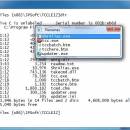
If you are frustrated by the limitations of the Windows command prompt, TCC/LE 64-bit is the one tool you truly need. By adding thousands of features that Microsoft omitted, TCC/LE makes the command line easy to use, giving you more power and flexibility than you ever imagined.
TCC/LE replaces CMD.EXE, the Windows command processor, and adds features such as extensive context-sensitive online help, plugins, aliases for commonly used commands, a powerful command line editor, history recall, filename completion (even across a network), popup command and directory history windows, and extended directory searches that can take you to any directory on your system by entering only part of its name.
TCC/LE expands the Windows file handling commands and by doing so it gives you the ability to copy, move, delete, or list multiple files with a single command. You can select or exclude files from any command by their date, time, size, and extended wildcards for extraordinary flexibility.
Features:
The TCC/LE scripting language is a large superset of the default Windows CMD shell, with 111 commands, 140 functions and 97 internal variables.
The scripting language includes a complete set of flow control structures including IF-Then-Else, DO and FOR loops, SWITCH, subroutines, etc.
Almost all of the CMD commands (e.g. DIR, COPY, DEL, START, etc.) are substantially enhanced, with hundreds of additional options.
TCC/LE includes multiple types of redirection, including redirecting and piping to STDERR, and TEE and Y pipe fittings.
You can redefine your commands with aliases, and assign frequently used commands to a single keystroke.
The enhanced command line editor provides command line and directory history, filename and directory completion, and advanced cut and paste options.
The built-in text and binary file viewer includes bidirectional scrolling, advanced search, and print capabilities.
Send keystrokes to any window (command prompt or GUI).
Select or exclude files by date, time, size, and extended wildcards or regular expressions for extraordinary flexibility in file management.
You can specify multiple filenames for most of the TCC/LE file processing commands (COPY, DEL, DIR, MOVE, etc.).
Find and navigate to any directory on your system by entering only part of its name with extended directory searches.
Create your own variables or commands with plugins, or choose from the many third-party plugin libraries available.
| Author | JP Software |
| License | Freeware |
| Price | FREE |
| Released | 2019-08-30 |
| Downloads | 1860 |
| Filesize | 7.30 MB |
| Requirements | |
| Installation | Instal And Uninstall |
| Keywords | command prompt, command shell, command line, command, shell, prompter |
| Users' rating (32 rating) |
Using TCC/LE Free Download crack, warez, password, serial numbers, torrent, keygen, registration codes,
key generators is illegal and your business could subject you to lawsuits and leave your operating systems without patches.
We do not host any torrent files or links of TCC/LE on rapidshare.com, depositfiles.com, megaupload.com etc.
All TCC/LE download links are direct TCC/LE full download from publisher site or their selected mirrors.
Avoid: oem software, old version, warez, serial, torrent, TCC/LE keygen, crack.
Consider: TCC/LE full version, full download, premium download, licensed copy.