
- Software
- - Desktop
- - Other
- - CopyFilenames
CopyFilenames 4.1
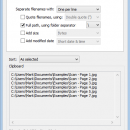
CopyFilenames by ExtraBit Software is a streamlined utility designed to enhance productivity by simplifying the process of copying file and folder names. This lightweight tool integrates seamlessly with Windows Explorer, offering users a quick and efficient way to copy filenames directly from the context menu. Whether you're a developer, a content creator, or simply someone who frequently manages files, CopyFilenames can significantly reduce the time spent on mundane file management tasks.
One of the standout features of CopyFilenames is its intuitive integration with the right-click context menu. This means that users can easily copy the names of selected files or folders without the need to open additional software or navigate through complex interfaces. The software supports copying full paths, which is particularly useful for those who need to reference file locations in documentation or scripts.
CopyFilenames also offers flexibility in how filenames are copied. Users can choose to copy just the names, the full paths, or even the UNC paths for network locations. This versatility makes it an invaluable tool for IT professionals and network administrators who often work with shared drives and need to document or share file paths accurately.
Another noteworthy feature is the ability to copy filenames in a format that includes file size and date information. This can be particularly useful for creating file inventories or when preparing reports that require detailed file information. Additionally, CopyFilenames supports copying multiple filenames at once, streamlining the process of managing large batches of files.
The software is designed with simplicity in mind, ensuring that even users with minimal technical expertise can take advantage of its features. Installation is straightforward, and the tool is compatible with a wide range of Windows operating systems, making it accessible to a broad user base.
In terms of performance, CopyFilenames is highly efficient, with minimal impact on system resources. This ensures that it runs smoothly alongside other applications without causing slowdowns or interruptions. The software's reliability and speed make it a trusted choice for users who require a dependable solution for file name management.
Overall, CopyFilenames by ExtraBit Software is an essential utility for anyone looking to enhance their file management capabilities. Its ease of use, combined with powerful features, makes it a valuable addition to any Windows environment. Whether you're organizing files, preparing documentation, or managing network resources, CopyFilenames provides a simple yet effective solution for copying and managing file names with precision and ease.
| Author | ExtraBit Software |
| License | Free To Try |
| Price | FREE |
| Released | 2025-04-19 |
| Downloads | 28 |
| Filesize | 11.60 MB |
| Requirements | |
| Installation | |
| Keywords | copy, CopyFilenames, copy filename, paste, obtain the filename, file management, Windows utility, CopyFilenames free download, filename, clipboard enhancement, ExtraBit Software, productivity tool, paste filename, download CopyFilenames, rename |
| Users' rating (9 rating) |
Using CopyFilenames Free Download crack, warez, password, serial numbers, torrent, keygen, registration codes,
key generators is illegal and your business could subject you to lawsuits and leave your operating systems without patches.
We do not host any torrent files or links of CopyFilenames on rapidshare.com, depositfiles.com, megaupload.com etc.
All CopyFilenames download links are direct CopyFilenames full download from publisher site or their selected mirrors.
Avoid: oem software, old version, warez, serial, torrent, CopyFilenames keygen, crack.
Consider: CopyFilenames full version, full download, premium download, licensed copy.


