|
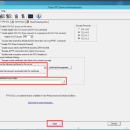
![]() [ View full size screenshot ] |
| Version | Date Released | Status | Release Notes |
| Titan FTP Server 10.00 B1740 | Jun 12, 2013 | New Release | · Fixed: The installer was missing a DLL which prevented the web interface from working properly on fresh installations. · Fixed: When upgrading from older v8 and v7 systems, access permissions were not being processed properly for virtual folders. · Fixed: Fixed problem in the Admin utility with the 'inherit home directory' setting not being displayed properly. · Fixed: When processing a PWD command during an FTP session, a 550 was being returned if the user had no permissions to the current directory. PWD is now allowed even with no permissions on the current directory. |
| Titan FTP Server 10.00 B1732 | May 30, 2013 | New Release | · Added: Updated FIPS compatible encryption engine which includes faster AES and SHA-256 algorithms. · Added: Added support for more secure hashing algorithms including HMAC-SHA256, HMAC-SHA384 and HMAC-SHA512. · Added: When using non-native User Authentication, there is now a Flush Cache button in the Administration utility to clear the contents of the server cache. · Fixed: Optimized the encryption subsystems to be directly incorporated into each SRT product instead of sharing a common runtime engine. · Fixed: Potential issue with the IP-Access feature in the Administration utility which could cause some IP Addresses to be ignored if the list became large. [YCZ-549-89134] and [GCG-484-77814] · Fixed: When using Inheritance in the Administration utility, if you were to inherit a numeric setting from the Server level to the Group level, the Group level did not accurately show the numeric value of the inherited Server value. [MEL-444-52257] and [JWC-161-80173] |
| Titan FTP Server 9.26 B1646 | May 26, 2013 | New Release | · Fixed: When 'Require SSL Certificates from Clients' was enabled for FTP/S, valid certificates were not being honored and the connection was being rejected. · Fixed: When supplying an invalid administrator username to the srxCFG utility, no error information was being displayed and it would appear that the utility successfully completed the operation. · When using the Admin or srxCFG utility, the service would use a case-sensitive comparison on the domain username during authentication, meaning that Administrator was not the same as administrator. The comparision is now case-insensitive. · Fixed: Problem with the Web UI which could cause file uploads to fail without any error. |
| Titan FTP Server 9.25.1643 | Apr 17, 2013 | New Release | · Fixed: When 'Require SSL Certificates from Clients' was enabled for FTP/S, valid certificates were not being honored and the connection was being rejected. · Fixed: When supplying an invalid administrator username to the srxCFG utility, no error information was being displayed and it would appear that the utility successfully completed the operation. · When using the Admin or srxCFG utility, the service would use a case-sensitive comparison on the domain username during authentication, meaning that Administrator was not the same as administrator. The comparision is now case-insensitive. · Fixed: Problem with the Web UI which could cause file uploads to fail without any error. |
| Titan FTP Server 9.22.1634 | Feb 5, 2013 | New Release | · Added: An Auto-Update feature will now periodically check for new releases of the product and notify the user through the Administration application whn new releases of the software are available. · Fixed: Potential security issue which could result in the Administration Console's credentials to be retrieved from the system by using bogus credentials and a mal-formed HTTP request. · Fixed: MLSD command was trying to return directory information over a data connection. Directory listing is now returned over the control connection as per the MLSD specification. |
| Titan FTP Server 9.21.1632 | Feb 4, 2013 | New Release | · Added: An Auto-Update feature will now periodically check for new releases of the product and notify the user through the Administration application whn new releases of the software are available. · Fixed: Potential security issue which could result in the Administration Console's credentials to be retrieved from the system by using bogus credentials and a mal-formed HTTP request. · Fixed: MLSD command was trying to return directory information over a data connection. Directory listing is now returned over the control connection as per the MLSD specification. |
| Titan FTP Server 9.20.1630 | Jan 3, 2013 | New Release | · Added: An Auto-Update feature will now periodically check for new releases of the product and notify the user through the Administration application whn new releases of the software are available. · Fixed: Potential security issue which could result in the Administration Console's credentials to be retrieved from the system by using bogus credentials and a mal-formed HTTP request. |
| Titan FTP Server 9.10.1615 | Oct 16, 2012 | New Release | · Fixed: REST issue which could fail to set the proper file offset for offsets larger than 2,400,000 bytes. · Fixed: Usernames surrounded by single quotes are now accepted by the server. This was done to accomodate an issue with the Avaya client. · Fixed: Permissions issue which failed to display folders in the WebUI and SFTP client if the Hide Inaccessible Directories feature was enabled and the 'Inherit' flag was not set on the user's home directory. · Fixed: Issue with the DMZedge configuration page in the Admin application which would fail to save the initial set of DMZedge configuration settings. · Fixed: Log manager issue which could fail to display the proper UID or GID when printing SFTP file attributes to the logfile. |
| Titan FTP Server 9.10.1605 | Sep 13, 2012 | New Release | · Fixed: Various UTF8 encoding issues mainly involving the display of Far Eastern characters. · Fixed: Login performance problem after upgrading from v8 to v9 if Windows NT/SAM, Active Directory, or LDAP authentication was being used. · Fixed: Minor issue in the NT/SAM User Authentication engine which failed to return the proper error code if a group did not exist in the SAM database. · Fixed: Issue in the Server Activity window of the Admin console which failed to display the proper protocol name for connections in the Web Browser. · Fixed: Various memory issues which would cause a long delay when the Titan Service was stopping. · Fixed: Optimized the overall login performance across the board for all protocols. · Fixed: If an error occurred during the activation of a license, no error message was being displayed under certain conditions, primarily if the user did not have adequate rights to the local file system and/or to access the Internet. |
| Titan FTP Server 9.00.1562 | Apr 22, 2012 | New Release | · Fixed: Uploading files using the WebUI could fail if NT/SAM Authentication and Impersonation were enabled and the files were being uploaded to a folder that pointed to a remote UNC. Ticket #ICG-148-21218 · Fixed: Browsing using the WebUI could fail with a 'Permission Denied' if NT/SAM Authentication and Impersonation were enabled and the user was trying to browse a sub-directory which was a Virtual Folder that resolved to a UNC path and was configured at the Group Level. · Fixed: The Send Buffer Size and Receive Buffer Size values on the FTP tab in the Admin utility were not being honored correctly by the FTP engine. · Fixed: Increased the width of the Send and Receive Buffer Size controls on the FTP tab in the Admin utility to help with the display of the larger values. · Fixed: The Branding button on the HTTP tab in the Admin utility is now properly enabled if HTTPS is enabled and HTTP is disabled. |