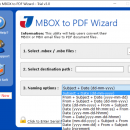
MBOX to PDF Wizard 3.1

Tool to create PDF file from emails within MBOX file keeping the attachments embedded within the converted emails. Any number and szie of ... and create single PDF file for each email within MBOX. There are multiple file naming options to save the converted PDF file and tool ensures to maintain the formatting of every mail that it converts. ...

Author MBOX to PDF Converter
License Free To Try
Price $49.00
Released 2017-05-11
Downloads 115
Filesize 13.30 MB
Requirements Minimum 512 MB RAM, Minimum 10 MB of free Hard disk space, Mininum Pentium II 400 MHz
Installation Install and Uninstall
Keywords mbox to pdf converter, convert mbox to pdf, save mbox as pdf, mbox to pdf, import mbox to pdf
Users' rating
(23 rating)
MBOX to PDF WizardFile & Disk ManagementWin 10 X64, Win10 x86, Win8, Win 8.1, Win2000, Windows 7 x32, Windows 7 x64, WinOther, WinServer, Windows Vista, Windows Vista x64, Windows XP, Other
MBOX to PDF Wizard within - Download Notice

Using MBOX to PDF Wizard Free Download crack, warez, password, serial numbers, torrent, keygen, registration codes, key generators is illegal and your business could subject you to lawsuits and leave your operating systems without patches. We do not host any torrent files or links of MBOX to PDF Wizard on rapidshare.com, depositfiles.com, megaupload.com etc. All MBOX to PDF Wizard download links are direct MBOX to PDF Wizard full download from publisher site or their selected mirrors.
Avoid: within oem software, old version, warez, serial, torrent, MBOX to PDF Wizard keygen, crack.
Consider: MBOX to PDF Wizard full version, within full download, premium download, licensed copy.
MBOX to PDF Wizard within - The Latest User Reviews

Most popular File & Disk Management downloads

Disk Savvy Pro x64

17.1.18 download

... can move, copy, or delete files directly from within the application, streamlining the process of freeing up disk space. The built-in file search functionality is also highly efficient, enabling users ...

Save PST into PDF

7.0 download

The Outlook PST to PDF Converter tool is designed so that you can easily convert Outlook emails to PDF together with attachments. You can also transfer multiple PST files to PDF ...

PDF2TXT(PDF to Text)

3.2 download

PDF2TXT converts PDF documents to text format,Fast,Accurate,Free Trial. PDF2TXT software can extract text from pdf files, it needn't Adobe Acrobat software, it has high speed in process. You can use it ...

SysInfo PDF Recovery Tool

3.0 download

... even recovers data from highly damaged PDF files within a minute. SysInfoTools PDF Repair Software allows users ... to understand all the working of the tool within a second. Also, the best feature is, it ...

5 award

ThumbsDisplay

1.1.8.0 download

... such as cropping, resizing, and rotating images directly within the software. These features are perfect for quick ... that finding specific photos is a breeze, even within the largest collections. Performance-wise, ThumbsDisplay is optimized ...

XYplorer

27.10.0200 download

... including name, date, size, and even specific content within files. 2. **Customization and Scripting**: The software provides extensive customization options, allowing users to tailor the interface and functionality to ...

Largest Files Finder

1.4 download

... largest 100 files on your hard drive, or within one or more subdirectories that you specify. When you start "Largest Files Finder", it automatically scans your hard drive and shows ...

SysInfoTools OpenOffice Writer Recovery

2.0 download

SysInfoTools OpenOffice Writer Recovery is a highly advanced software program which is specially designed to fix the errors from inaccessible ODT files and recover all the data from them. It successfully ...

5 award

How to Save Outlook Email to PDF file

6.0 download

... to Save Outlook Email to PDF file problem within few minutes. It support convert attachments as PDF option to save Outlook emails and attachments as PDF and easily save MSG ...

Copy Text form PDF

2.111 download

... you desire to place simply by clicking "ctrl+v" within the Word doc. To know more you can visit us at homepage ...